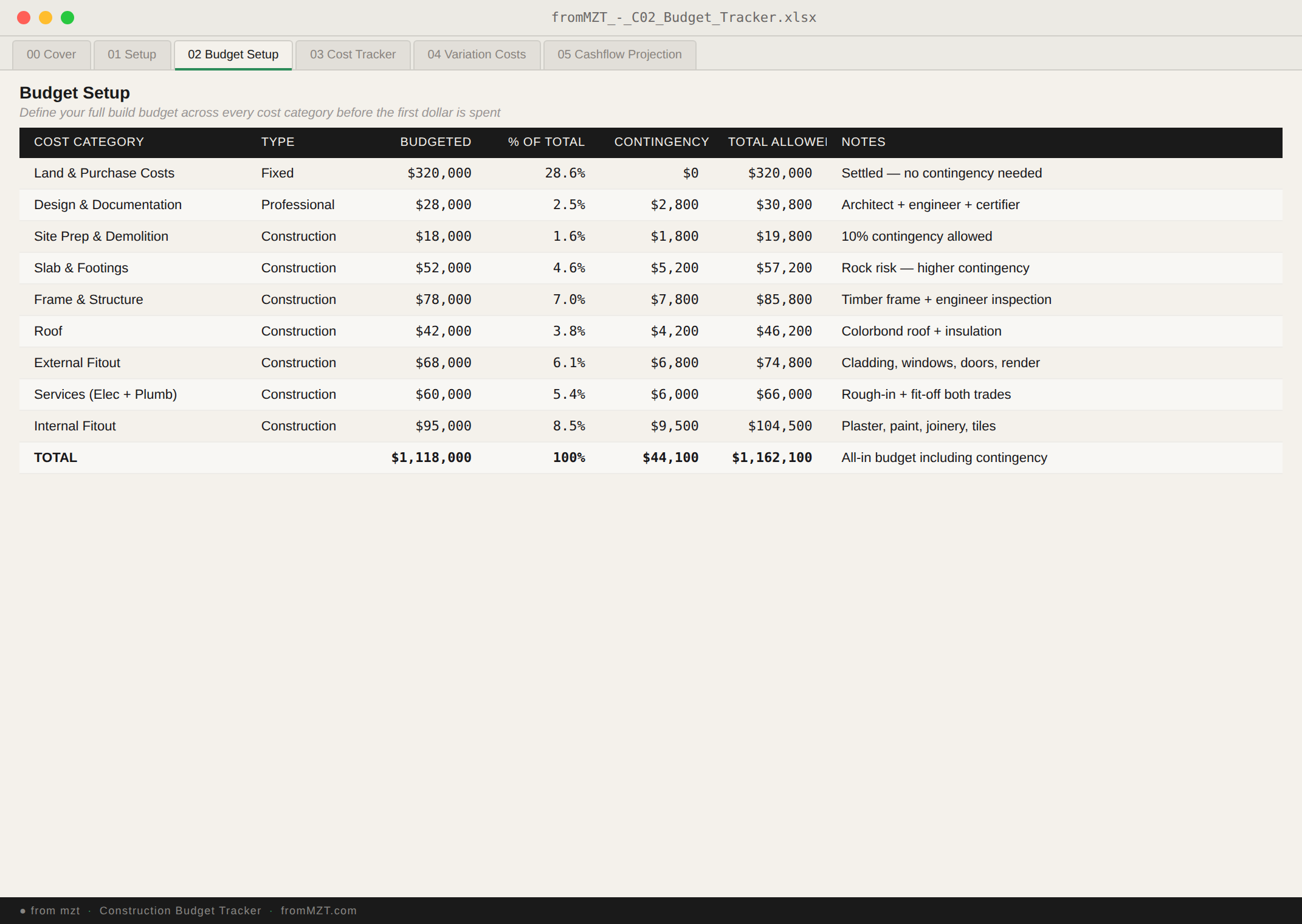
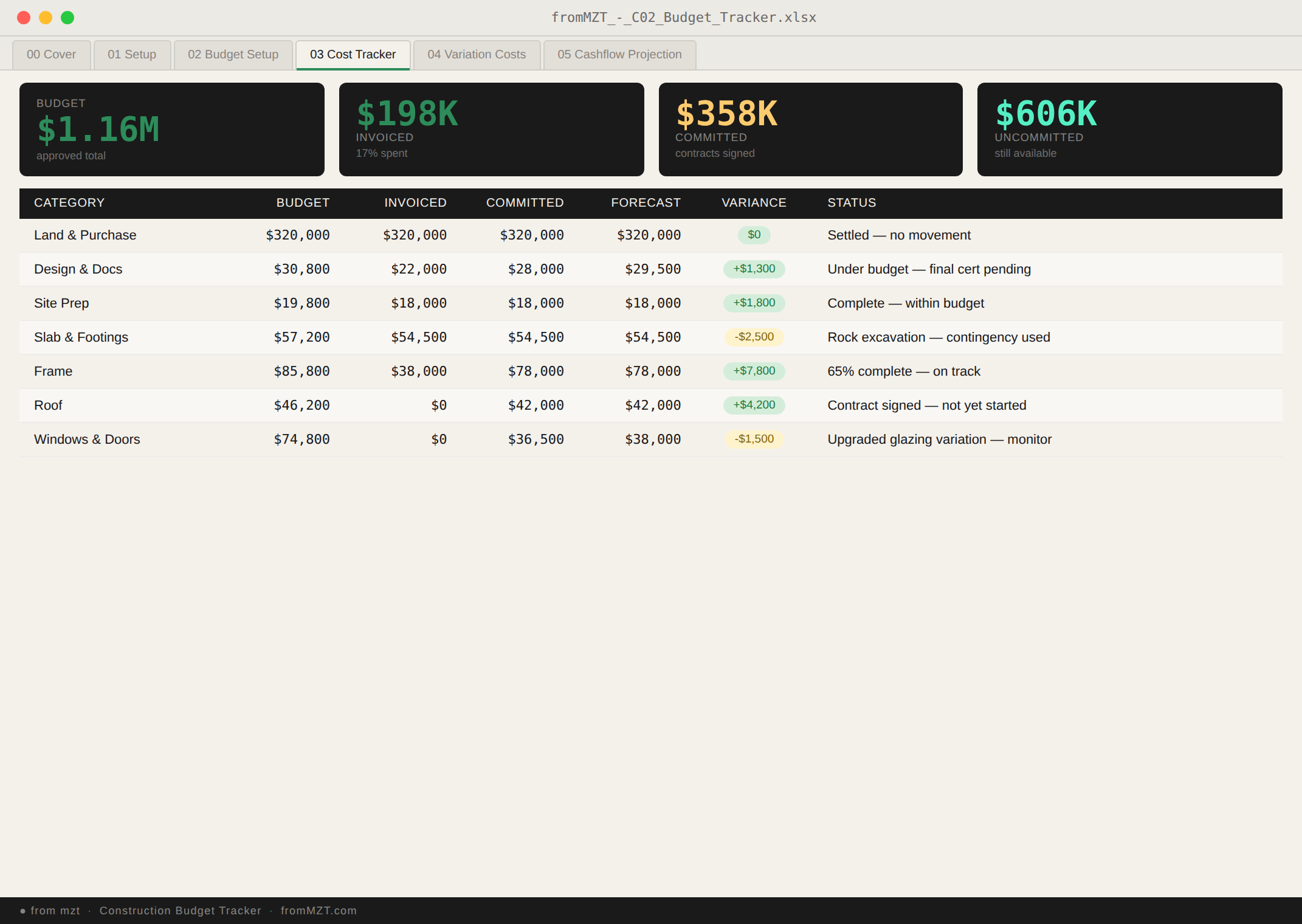
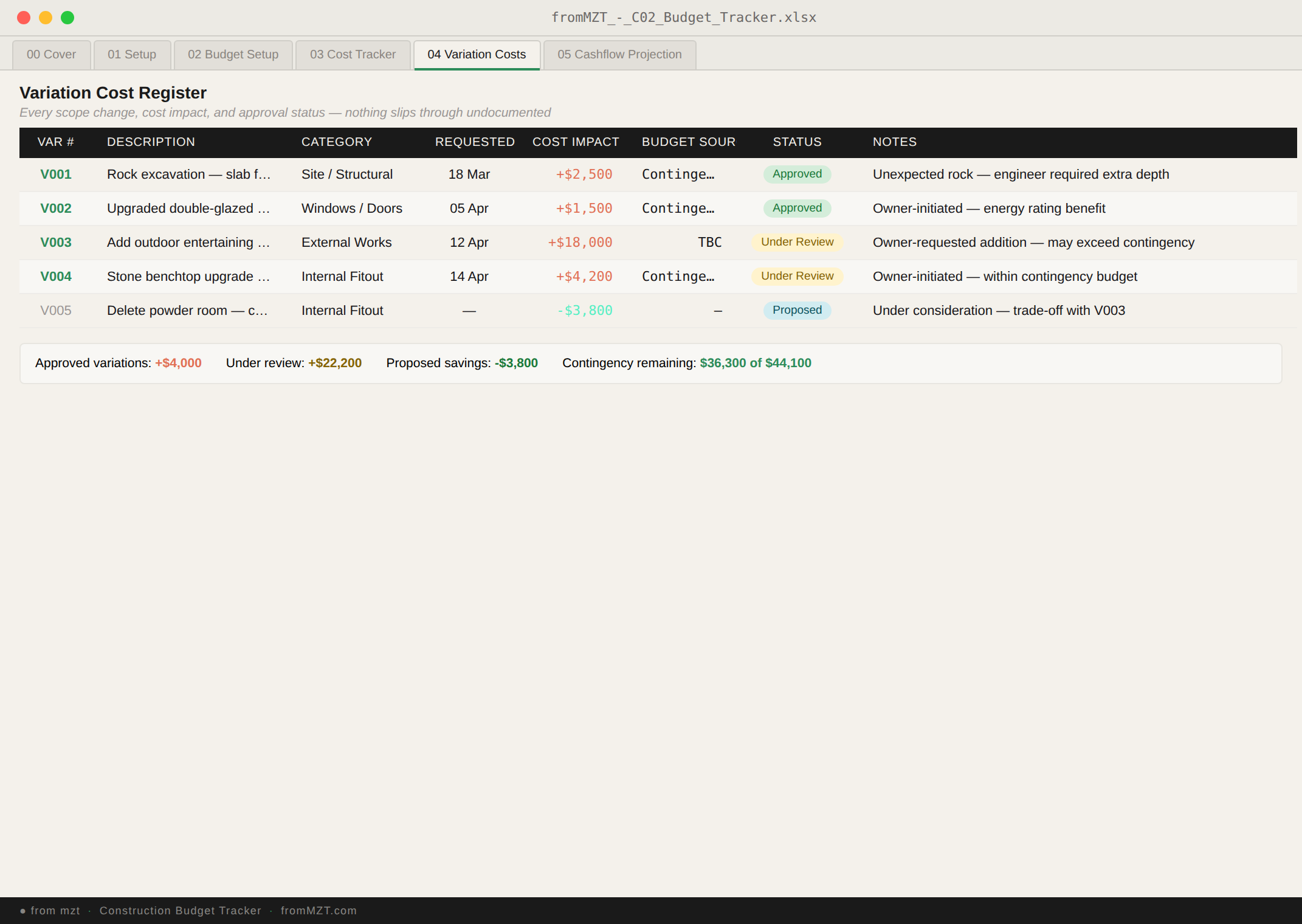
A structured build budget system for residential projects — track every cost, variation, and cashflow projection so you always know your position before the bills arrive.
One-time payment. Yours forever.
What’s included
A deeper financial tracking system than you’ll find in any general project tracker. Set your budget categories, log every quote and invoice, track variations separately, project your cashflow, and see it all come together in a live summary.
Tab 01
Budget Setup
Define your project budget by category — siteworks, slab, frame, roofing, plumbing, electrical, and everything else. Set initial estimates that become your baseline for tracking.
Tab 02
Cost Tracker
Log every quote, contract amount, invoice, and payment against each budget category. Auto-calculated columns show committed spend, paid-to-date, outstanding amounts, and projected final costs in real time.
Tab 03
Variation Register
Record every scope change with its cost impact before work starts. Track whether variations are approved, pending, or rejected — and see their total effect on your budget instantly.
Tab 04
Cashflow Projection
Map expected payments against your build timeline month by month. See when the big invoices are coming so you can plan finance drawdowns, progress claims, or savings allocations ahead of time.
Tab 05
Budget Dashboard
A single-screen summary showing total budget vs actual spend, category breakdowns, variation impact, and cashflow status. The view you want before every bank meeting, progress claim, or end-of-month review. All data feeds here automatically from the other four tabs.
Why this exists
“I was tracking costs in a basic spreadsheet and thought I was on budget. Then I added up the variations that had accumulated over three months and realised I was $14,000 over. That’s when I built this.”
— from mzt
The original budget tracker was a single tab inside a larger project management workbook. But conversations with other owner builders revealed the same pattern: people needed deeper financial visibility without the complexity of a full project management system.
This standalone version expands the original budget tab into five dedicated sheets with proper cashflow projection, variation tracking, and a financial dashboard — giving you the depth of a project finance tool in a format that’s actually usable without training.
Who it’s for
Owner Builder
Managing your own budget
You’re self-managing the build and need to track every cost without an accountant or project management software.
Finance-focused
Already have a PM system
You’re using another system for scheduling and trades but need a dedicated tool just for the financial tracking side.
Renovation
Smaller build, same complexity
You’re doing a major renovation where the budget still runs across 15+ trades and dozens of invoices. Same money problems, different scale.
Progress Claims
Reporting to a lender
Your construction loan requires progress claims and financial reporting. The dashboard and cashflow tabs give you exactly what the bank asks for.
Compare
This product focuses purely on the financial side. If you also need trade management, stage planning, permits, and a project dashboard, the premium Owner Builder Tracker has everything in one file.