“Built because nothing that existed was good enough. Used across real builds, from day one through handover.”
Owner builder projects don’t fail on ambition — they fail on paperwork. A trade whose insurance expired three weeks ago. A variation agreed verbally that now costs you $8,000. A mandatory inspection that can’t happen because two other things weren’t signed off first. This workbook handles all of it before it becomes a problem.
Construction Suite · 01
Launch offerOne-time · Excel workbook · instant download
← Back to all productsWhat’s included
Every sheet feeds into the next. Enter your project details once and they flow through the whole file — from your initial budget through to the live dashboard that updates automatically as the build progresses.
Tab 01
Setup & Project Details
Enter your project info once and it flows through the whole file — property address, contract details, key contacts, and project timeline.
Tab 02
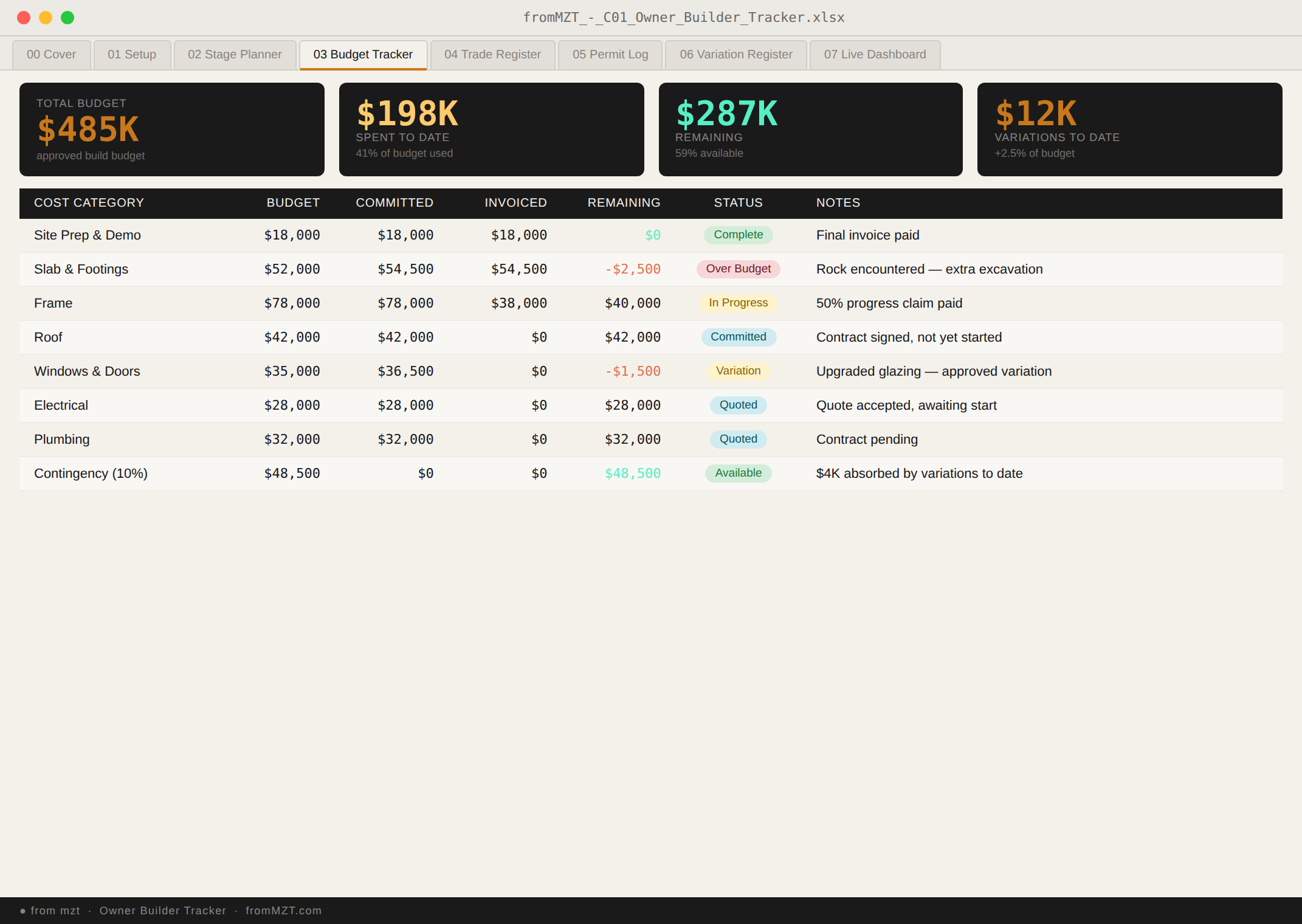
Budget Tracker
Track every cost from estimate through to final payment. Auto-calculated projected totals and remaining budget update in real time as you enter invoices.
Tab 03
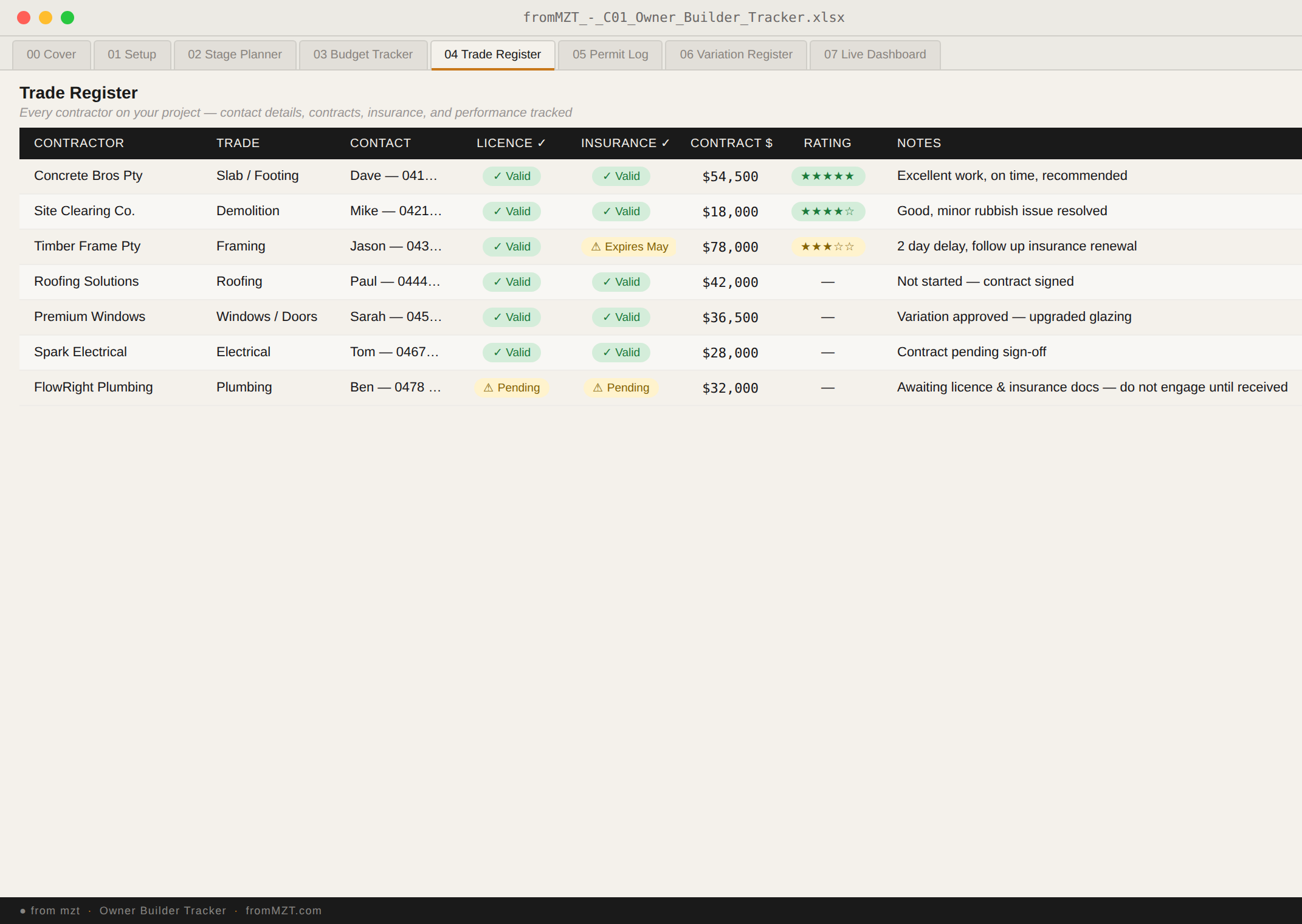
Trade Register
Manage all contractors in one place — licence numbers, insurance expiry dates, contract details, and payment tracking so nothing slips through.
Tab 04
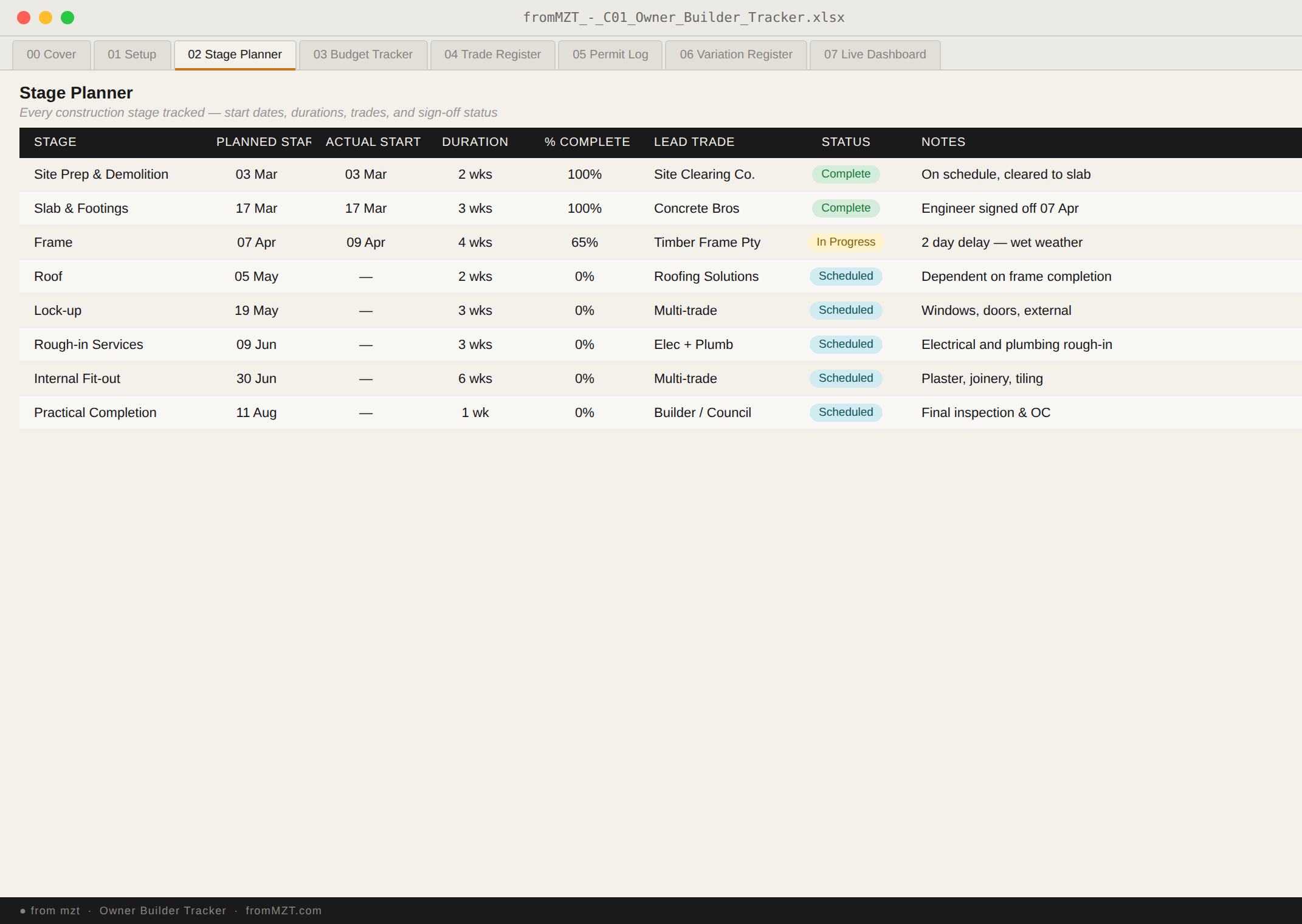
Stage & Inspection Planner
Plan and track every build stage with progress %, dates, and mandatory inspection records. Know exactly where you are at any point in the build.
Tab 05
Permit & Compliance Log
Log every permit, approval, and compliance document with expiry tracking. Never miss a renewal or submit work without the right approvals in place.
Tab 06
Variation Register
Record every scope change with cost and time impact before work starts. The register that prevents end-of-project surprises and protects your budget.
Tab 07
Live Project Dashboard
A single-screen summary of budget, progress, trades, and permits that updates automatically. The view you want at every site meeting and council inspection. All data from the other six tabs feeds here — no manual updates required.
The story behind it
“I left a government career to build our family home as an owner builder with no construction background. Every spreadsheet I found was either too simple to be useful or too generic to reflect how a real build works. So I built this one.”
— from mzt
The creator of this tool walked away from a stable government career to become an owner builder on a residential project with no prior construction experience. What followed was a steep learning curve in budgets, trades, council approvals, mandatory inspections, and the very specific chaos of trying to manage a build without a background in any of it.
Refined across the full length of that first build, then improved again on subsequent residential projects. Every tab reflects a real problem that came up during construction — not a theoretical framework applied to building, but a system shaped by how a residential project actually unfolds.
The result is a workbook that reflects how a build actually works: the variations that appear mid-stage, the insurance certificates that expire at the worst moment, the inspection that can’t happen until three other things are done first. Whether you’re the owner builder or a PM managing the job, this is the system they wish they’d had from day one.
Who it’s for
Owner Builder
Starting from scratch
You’ve just received owner-builder approval and don’t know where to start. Set this up on day one before anything else moves.
Site Manager
Running the job
You’re managing the project for someone else and need a system that handles trades, stages, permits, and budget without scattered notes.
Cost-Conscious Builder
Protecting the budget
You’ve been burned by blow-outs or verbal variations before. The variation register and budget tracker exist specifically for this.
Mid-Build
Picking it up partway through
Already into the build and realise basic spreadsheets aren’t cutting it. Designed to be picked up mid-project without losing existing data.
Buy once, use for the full project. No subscription, no app, no account. Just a carefully built Excel file that works the way a real residential build actually does — not the way a textbook says it should.
Launch offer
$38
$55One-time · Excel workbook · instant download
Works on Mac & PC · Excel 2016+